New in BACKCLICK 5.9.79
Release 5.9.79 introduces the Media Explorer, fully replacing the previous media management based on AjaXplorer (PHP). The Media Explorer is a lean, PHP-free web application running directly inside the BACKCLICK system – no separate login, no PHP runtime. At the same time this closes the known vulnerabilities of the old solution (directory traversal, executable upload, SySS advisory SYSS-2022-027).
The Media Explorer manages all images and file attachments of a client (mandator) in one place. It opens both as a standalone media library from the menu and as a selection dialog (“picker”) directly from the campaign editor. Existing newsletter image URLs remain valid without changes.
Interface and controls
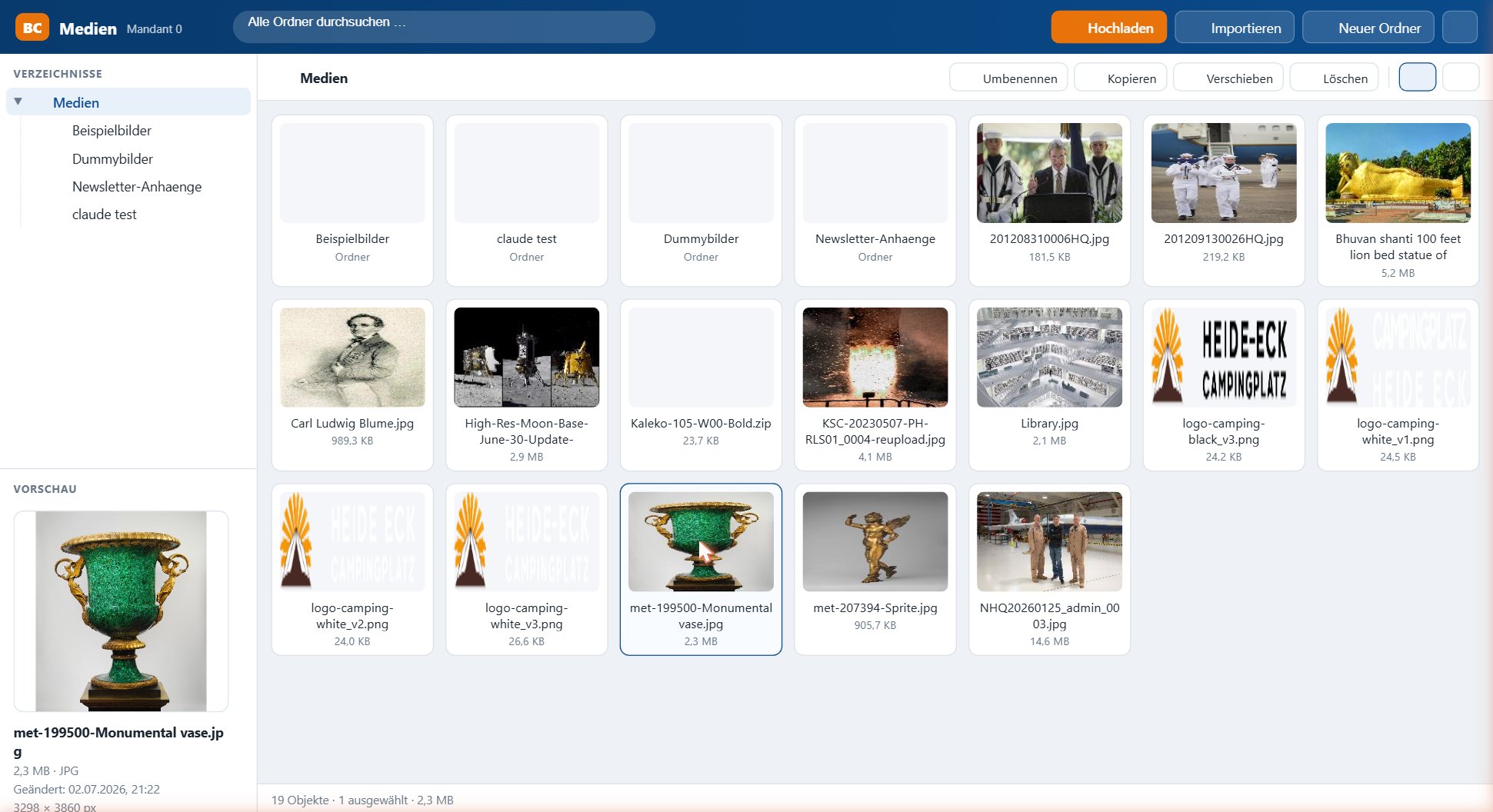
The interface is divided into three areas:
- Folder tree (left): the client’s folder structure. Below it, the preview of the currently selected item with file name, size, type and image dimensions.
- Content area (centre): the files of the selected folder – either as tile view (with thumbnails) or list view (name, size, type, modified). Toggle at the top right.
- Header bar (top): full-text search across all folders plus the actions Upload, Import and New folder.
For one or more selected items the action bar offers Rename, Copy, Move and Delete.
Uploading files
Files can be transferred via the Upload button or simply by drag & drop into the content area. For security reasons an extension whitelist applies: image and document formats are allowed, executable file types (e.g. .php, .jsp) are rejected. All paths are canonicalised against the client root, so no escape from the own media directory is possible.
Creating and managing folders
New folder creates a subdirectory. Folders and files can be renamed, copied, moved or deleted via the action bar. The structure mirrors the physical Media_<client> directories.
Importing images – 14 sources
Besides classic uploads, the Media Explorer can pull images directly from external sources. The Import dialog bundles 14 sources; a green dot marks sources ready to use, a yellow dot marks sources that require credentials first (configurable under Credentials).
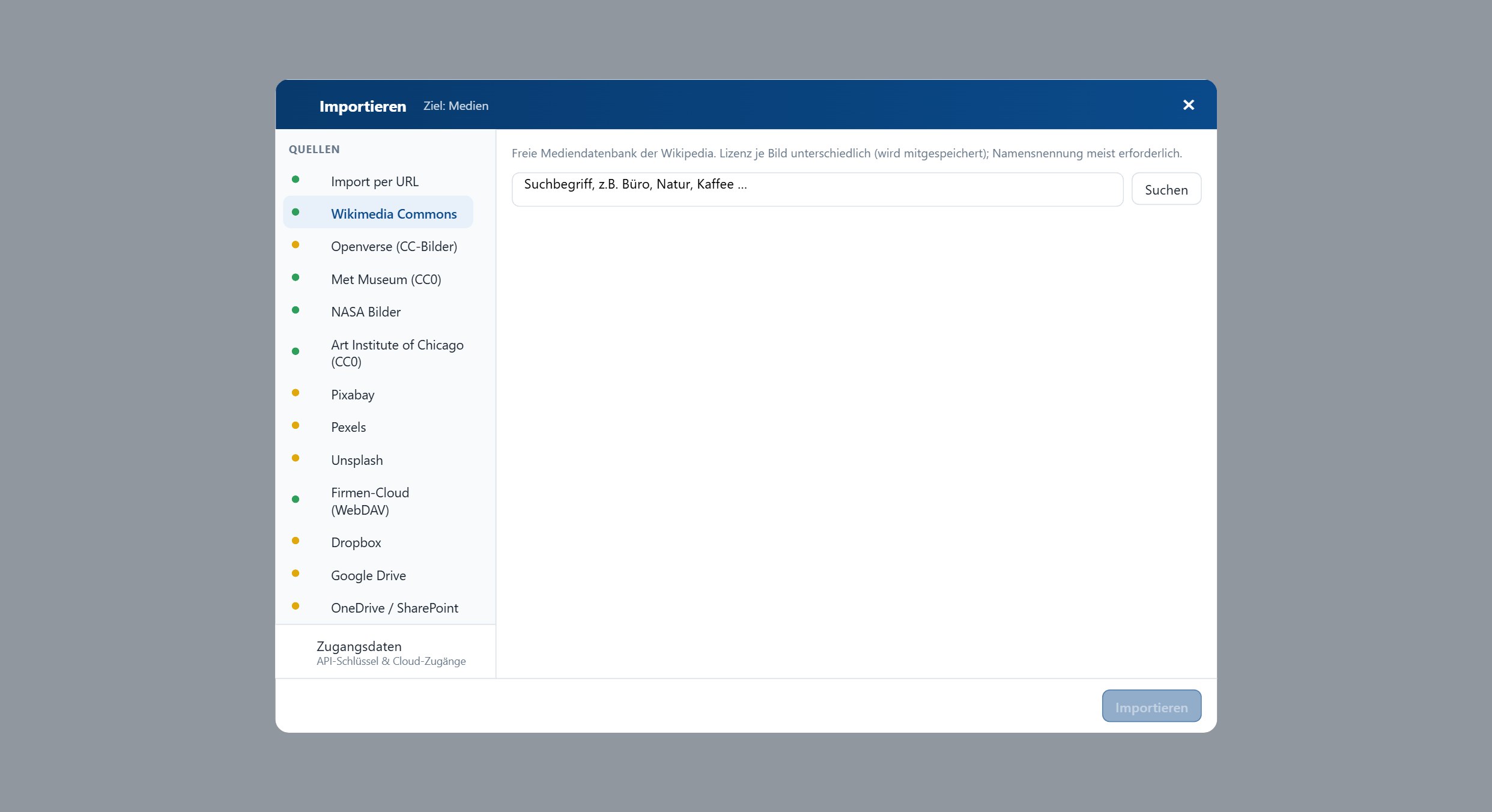
| Free / public-domain media | Stock photo services | Company & cloud storage |
|---|
Import by URL
Wikimedia Commons
Openverse (CC images)
Met Museum (CC0)
NASA images
Art Institute of Chicago (CC0) | Pixabay
Pexels
Unsplash | Company cloud (WebDAV/Nextcloud)
Dropbox
Google Drive
OneDrive / SharePoint
Google Photos |
Existing licence and attribution data is stored along with each import. Configuration (API keys, cloud accounts) is done per client.
Use in the campaign editor
While composing a newsletter, the Media Explorer opens as a selection dialog. A hint banner guides the selection: double-clicking an image inserts it immediately; alternatively select the image and confirm in the preview. Uploading or importing is possible right from the picker.
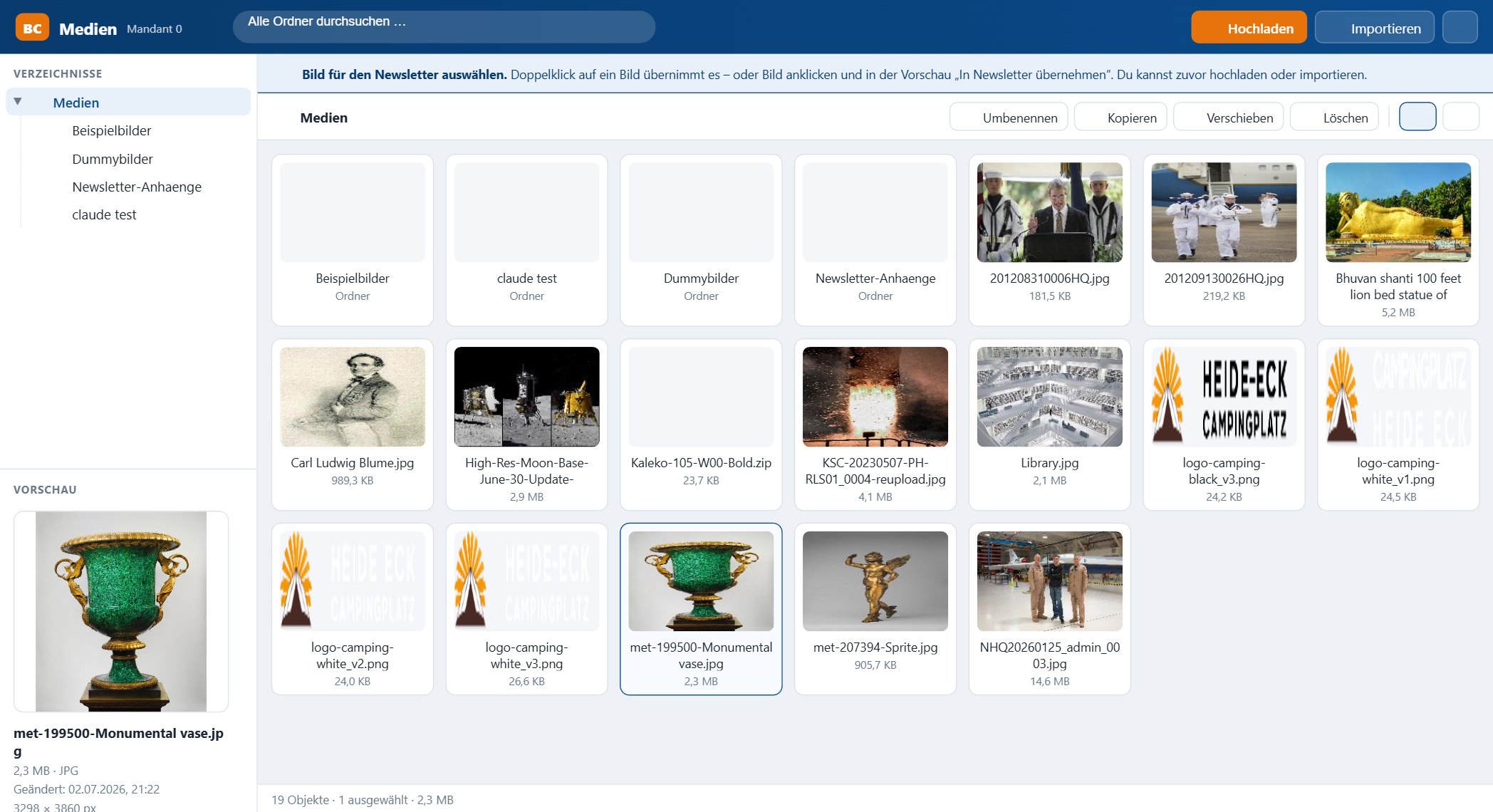
The picker has two modes:
- Image selection (
useasimage) – inserts an image into the newsletter.
- Attachment selection (
useasattachment) – assigns a file as an e-mail attachment.
Client separation and security
- Session required: every access requires an authenticated BACKCLICK session; the client is determined authoritatively from the session.
- Superusers may switch into other clients’ media directories via a client parameter; regular users are strictly limited to their own client.
- All paths are traversal-safe; uploads are restricted to safe file types.
The sub-pages of this chapter describe the individual workflows in detail: controls, folder management, uploading, image assignment and e-mail attachments.